2021 में एक क्लाइंट ने मुझे फोन किया, मैनचेस्टर में एक मध्यम आकार का ई-कॉमर्स ब्रांड, लगभग 40,000 SKU के साथ, कई क्षेत्रीय स्टोरफ्रंट, और वह बहुत गुस्से में थे। उन्होंने 18 महीने में £180,000 खर्च किए थे एक हेडलेस Shopify बिल्ड पर जिसका Next.js फ्रंट एंड था, और उनके पेज लोड टाइम उस Shopify थीम से भी धीमे थे जिसे उन्होंने रिप्लेस किया था। उनकी डेवलपमेंट टीम एक कॉन्ट्रैक्टर से बढ़कर चार हो गई थी। कंटेंट एडिटर्स को एक ब्लॉग पोस्ट लाइव करने के लिए भी डेवलपर की जरूरत पड़ती थी।
मुख्य बात: headless जाएं जब आपको सच में कई front ends की जरूरत हो या performance के लिए monolith से ज्यादा चाहिए हो; एक अच्छे theme के साथ एक WordPress site तीन developers को उस stack को maintain करने से बेहतर है जिसकी आपको जरूरत नहीं थी।
हेडलेस को उन्हें भविष्य के रूप में बेचा गया था। और तकनीकी रूप से, यह है। लेकिन किसी ने उन्हें नहीं बताया कि इसे संचालित करने में वाकई कितना खर्च आएगा।
मैंने Seahawk Media में 12,000 से ज्यादा साइट्स पर बिल्ड किए हैं या उनकी निगरानी की है। हेडलेस शायद 8-10% साइट्स पर सही फैसला था। बाकी 90%? यह एक आपदा होती थी, महंगी, शिप करने में धीमी, और मेंटेन करने में दुःसाध्य। यह पोस्ट इसके बारे में है कि आप अपने प्रोजेक्ट के लिए सही बकेट जानें, चेक लिखने से पहले ही।
---
"हेडलेस" का व्यावहारिक अर्थ क्या है
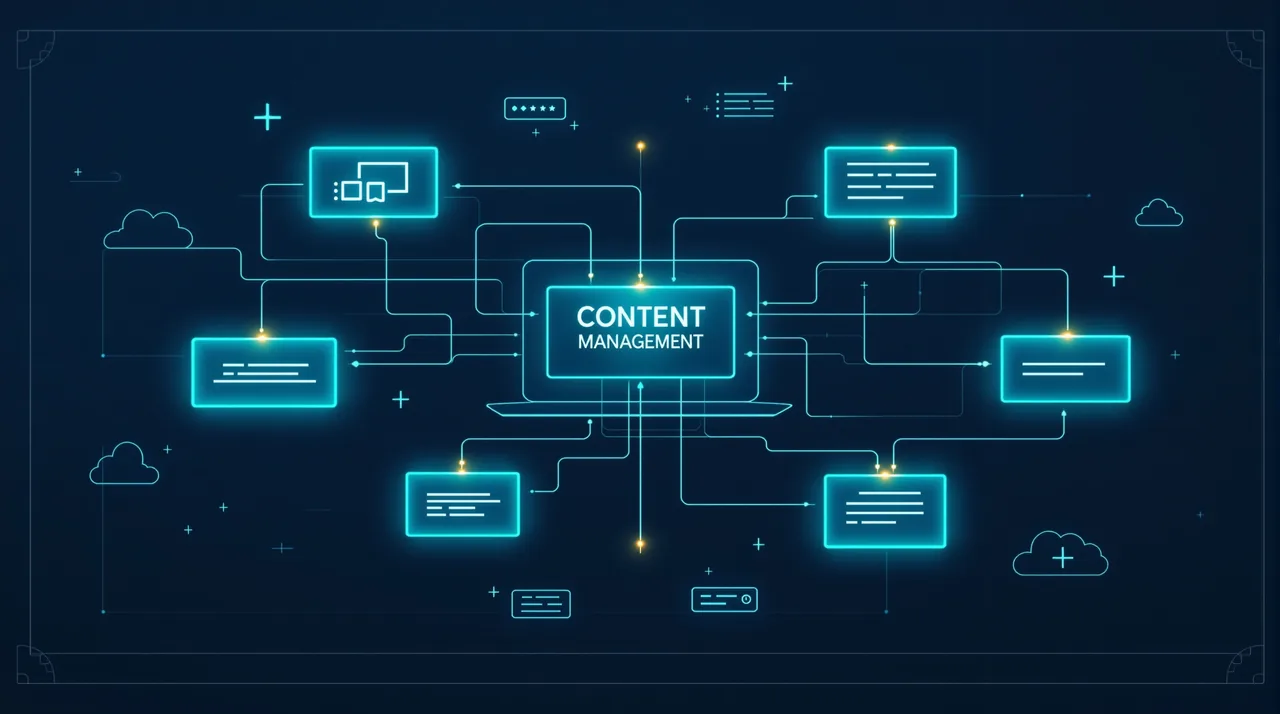
चलिए परिभाषा जल्दी से निकाल लेते हैं। एक पारंपरिक CMS, WordPress, Squarespace, कुछ भी हो, कंटेंट मैनेजमेंट बैक एंड को फ्रंट-एंड प्रेजेंटेशन लेयर से जोड़ता है। वे आपस में नेटिवली बात करते हैं। हेडलेस उन्हें अलग करता है। आपका CMS (Contentful, Sanity, Strapi, WordPress हेडलेस मोड में) एक शुद्ध कंटेंट API बन जाता है। आपका फ्रंट एंड, Next.js, Nuxt, Astro, SvelteKit, जो कुछ भी आप चाहते हों, वह कंटेंट को फेच करता है और इसे जैसा चाहे वैसे रेंडर करता है।
सरल विचार। जटिलता बाकी सब जगह घुसपैठ करती है।
वह स्टैक जो प्रोजेक्ट्स में वास्तव में दिखता है
व्यवहार में, जब कोई "headless" कहता है, तो आमतौर पर वे इन संयोजनों में से एक का मतलब रखते हैं:
- Contentful या Sanity CMS के रूप में, REST या GraphQL पर JSON परोसते हुए
- फ्रंट एंड पर Next.js, या तो स्टैटिकली जेनरेटेड (SSG) या सर्वर-साइड रेंडर्ड (SSR)
- डिप्लॉयमेंट और एज फंक्शन्स के लिए Vercel या Netlify
- शॉपिफाई Storefront API या BigCommerce अगर कमर्स शामिल है
- Algolia का कोई न कोई स्वरूप सर्च के लिए, क्योंकि नेटिव सर्च विकल्प आमतौर पर भद्दे होते हैं
इन में से प्रत्येक एक अलग विक्रेता संबंध है, एक अलग बिलिंग लाइन है, और एक अलग चीज है जो शुक्रवार को रात 2 बजे गलत हो सकती है।
---
Headless जाने के लिए असली वजह
बात यह है कि इसके लिए असली, जायज कारण हैं। मैं आर्किटेक्चर को खारिज नहीं कर रहा हूँ। मैं सिर्फ इससे थक गया हूँ कि इसे बिना सोच-समझे लागू किया जाता है।
मल्टी-चैनल कंटेंट डिलीवरी सबसे मजबूत तर्क है। अगर एक ही कंटेंट को एक वेबसाइट पर, एक मोबाइल ऐप पर, एक कियोस्क डिस्प्ले पर, और एक स्मार्ट टीवी इंटरफेस पर दिखना है, तो एक कपल्ड CMS सचमुच दर्ददायक हो जाता है। एक कंटेंट API जो सभी चारों सतहें क्वेरी करें? यह सचमुच समझदारी है। Seahawk के पास दुबई में एक हॉस्पिटैलिटी क्लाइंट था, एक उन रिसॉर्ट ग्रुप में से, जिसके पास एक पब्लिक फेसिंग साइट, एक इंटरनल स्टाफ ऐप, और प्रॉपर्टी भर में डिजिटल साइनेज है। एक Sanity इंस्टेंस सभी को फीड कर रहा है। यह सही फैसला था, बिल्कुल।
असली स्केल पर परफॉर्मेंस दूसरा जायज तर्क है। CDN एज से सर्व किए गए स्टैटिकली जनरेटेड पेज इस तरह से तेज होते हैं जो PHP-रेंडरड WordPress पेज बस नहीं हो सकते, चाहे आपने अपने सर्वर को कितनी अच्छी तरह ऑप्टिमाइज किया हो। जब आप महीने में लाखों पेज व्यूज की बात कर रहे हों, तो ये मिलीसेकंड कंपाउंड होकर मायने रखने वाले रेवेन्यू अंतर बनाते हैं। गूगल की रिसर्च लोड स्पीड और कन्वर्जन रेट के बीच संबंध को बार-बार दस्तावेज किया है, यह सैद्धांतिक नहीं है।
टीम अलगाव भी मायने रखता है, लेकिन सिर्फ उन संगठनों के लिए जिनके पास अलग फ्रंट-एंड और बैक-एंड टीमें हों। अगर आपकी कंटेंट टीम एक 20-व्यक्तीय मार्केटिंग विभाग है जो अपनी इंजीनियरिंग टीम से स्वतंत्र तरीके से काम करना चाहती है, तो CMS और फ्रंट एंड के बीच एक क्लीन API कॉन्ट्रैक्ट दोनों पक्षों को एक-दूसरे को ब्लॉक किए बिना काम करने देता है।
ये तीन मामले? जटिलता की कीमत चुकाने के लिए सचमुच काबिलेे-विचार हैं। बाकी सब कुछ आमतौर पर आर्किटेक्चर के भेस में सिर्फ खैयाली पुलाव है।
---
जब Headless सिर्फ महंगी ओवर-इंजीनियरिंग है
London के एक एकाउंटेंसी फर्म के लिए पाँच-पेज का एक ब्रोशर साइट को headless आर्किटेक्चर की जरूरत नहीं है। न ही 200 प्रोडक्ट वाले एक WooCommerce स्टोर को जिसके पास रिटेनर पर एक डेवलपर है।
मैं यह गलती लगातार देखता हूँ, खासकर उन डेवलपर्स में जिन्होंने अभी Next.js की खोज की है और इसे हर चीज पर इस्तेमाल करना चाहते हैं। (2019 में मैं खुद भी दोषी था, एक छोटे चैरिटी क्लाइंट के लिए एक हेडलेस ब्लॉग बनाया, नई पोस्ट पर Netlify रीबिल्ड ट्रिगर करने के लिए वेबहुक कॉन्फिगर करने में तीन दिन खर्च किए, उन्हें चार्ज किया, और वे अब भी मुझसे फोन करते हैं जब कुछ टूटता है।) समस्या यह है कि हेडलेस ऑपरेशनल कॉम्प्लेक्सिटी को CMS से इंफ्रास्ट्रक्चर में शिफ्ट करता है। WordPress खुद को अपडेट करता है। आपकी कस्टम Next.js + Contentful पाइपलाइन नहीं।
विशिष्ट परिस्थितियाँ जहाँ headless आमतौर पर इससे ज्यादा खर्च करता है जो वह return करता है:
- छोटी कंटेंट टीमें, अगर एक या दो लोग सभी कंटेंट मैनेज करते हैं, तो WordPress जैसे एक सही कपल्ड CMS का एडिटोरियल DX एक हेडलेस CMS से सचमुच बेहतर है। प्रिव्यू एनवायरनमेंट्स मुश्किल होते हैं। इनलाइन एडिटिंग चली जाती है। WYSIWYG काट दिया जाता है।
- सीमित बजट, एक सही हेडलेस बिल्ड की लागत एक तुलनीय WordPress बिल्ड से 2-3x ज्यादा होती है, और चल रही मेंटेनेंस भी ज्यादा होती है। अगर बजट एक बाधा है, तो वह पैसा लगभग हमेशा किसी और जगह ज्यादा अच्छा काम करता है।
- बार-बार कंटेंट बदलाव का मतलब static generation में बिल्ड टाइम होता है। एक न्यूज पब्लिशर जो रोज़ 50 आर्टिकल निकाल रहा है, वह हर बार पूरी साइट के rebuild के लिए 8 मिनट नहीं लगवाना चाहता। (हाँ, incremental static regeneration मदद करता है। इसके अपने जटिलताएँ भी हैं।)
- कोई dedicated DevOps नहीं होता, deployment pipeline, CDN config, environment variables, preview URLs—किसी को तो इनका मालिक बनना पड़ता है। छोटी टीम में, वह कोई आमतौर पर वही डेवलपर होता है जो बाकी सब कुछ भी कर रहा है।
---
WordPress Headless Middle Ground
एक चीज जिस पर मैं "traditional WordPress" और "full headless with a separate CMS" के बीच false binary पर push back करूँगा। एक middle path है जो एक निश्चित class के project के लिए वाकई अच्छी तरह काम करता है।
WordPress को headless back end की तरह इस्तेमाल करना, WP REST API या WPGraphQL के साथ, आपको वह कंटेंट मैनेजमेंट अनुभव देता है जो आपके clients को पहले से पता है (और सच कहूँ तो, ज्यादातर clients को WordPress पता ही है), साथ ही एक आधुनिक front end की flexibility भी। आप Contentful के लिए पैसे नहीं दे रहे। आपको किसी को retraining नहीं करनी पड़ रही। editorial team को Gutenberg मिल जाता है। front end जो भी फ्रेमवर्क project के लिए सही हो, वह हो सकता है।
मैंने इस pattern को पिछले चार सालों में 30-40 प्रोजेक्ट्स पर इस्तेमाल किया है। यह खासकर marketing sites के लिए अच्छी तरह काम करता है जिनके पास WordPress में पहले से काफी content library है और migrate नहीं करना चाहते, लेकिन performance या interactivity की वजहों से एक React front end चाहते हैं। trade-off यह है कि WPGraphQL plugin maintenance मुश्किल हो सकती है, और आप अभी भी एक PHP server चला रहे हैं, आप WordPress hosting से पूरी तरह नहीं बच गए हैं।
---
अपना Headless CMS चुनना: एक व्यावहारिक तुलना
सभी headless CMSes एक जैसे नहीं हैं, और जब लोग फ्रंट-एंड फ्रेमवर्क के बारे में उत्साहित होते हैं तो यह चुनाव लोग जितना मानते हैं उससे ज्यादा मायने रखता है।
Contentful
enterprise-grade विकल्प। Solid API, अच्छे SDKs, reasonable editorial UI। Pricing ही दर्द की बात है, free tier छोटे प्रोजेक्ट्स के लिए सच में काम का है, लेकिन जैसे ही आप limits पार करते हैं, आप $300+/month की ओर देख रहे हैं इससे पहले कि आपने कुछ interesting किया हो। मैं Contentful को उन प्रोजेक्ट्स के लिए चुनूँ जिनके पास real budgets हों और जिन organizations को proper roles और permissions workflows की जरूरत हो।
Sanity
मेरा personal favourite ज्यादातर mid-market headless projects के लिए। GROQ query language expressive है एक बार आप इसके साथ एक दिन बिता लें, Sanity Studio customisable है उस तरीके से जिस तरीके से Contentful नहीं है, और real-time collaboration excellent है। Pricing ज्यादा reasonable है। downside यह है कि non-technical content editors के लिए learning curve ज्यादा steep है, Studio WordPress से काफी अलग दिखता है कि हमेशा एक training period होती है।
Strapi
ओपन-सोर्स, सेल्फ-होस्टेड, फ्री में चलाने के लिए। अगर आपके पास कोई क्लाइंट है जो SaaS CMS फीस नहीं देगा और उसके पास एक सर्वर है, तो Strapi पर विचार करना काबिले-गौर है। एडमिन पैनल अच्छा है। लेकिन आप होस्टिंग, अपग्रेड्स, और सिक्योरिटी पैच्स को खुद हैंडल कर रहे हैं। कुछ नहीं तो कुछ है।
Astro के साथ content collections
Content-heavy sites के लिए जो ज्यादातर static हैं, documentation, blogs, marketing sites, Astro with local content collections पर विचार करना काबिल है। कोई CMS नहीं बिल्कुल। Content repo में Markdown या MDX files के रूप में रहता है। Developers को यह पसंद है। Non-technical editors को आमतौर पर नफरत है। इस रास्ते पर जाने से पहले अपने audience को जान लीजिए।
---
परफॉर्मेंस तर्क: संख्याएं वास्तव में क्या कहती हैं
मैं आपको असली benchmark दे रहा हूँ, न कि speed के बारे में कोई हवा-हवाई दावा।
एक Seahawk client, एक SaaS company, करीब 80 pages, moderate traffic, managed WordPress install से Next.js with Sanity पर चली गई, Vercel पर deployed। Migration से पहले, Lighthouse scores मोबाइल पर 62-68 के आसपास बैठे हुए थे। बाद में, consistently 91-96। Time to First Byte roughly 420ms से 80ms के नीचे चली गई। यह marginal improvement नहीं है। यह एक अलग ही प्रोडक्ट है।
लेकिन, और यह मायने रखता है, उनके पास एक dedicated front-end developer था, एक content team of four थी जो Sanity training से गुज़री, और एक budget था जिसने एक eight-week build को absorb किया। performance gains real थे क्योंकि headless को काम करने की conditions मौजूद थीं।
Web Almanac का data CMS performance पर दिखाता है कि headless-oriented frameworks और traditional coupled CMSes के बीच performance gap असली है लेकिन automatic नहीं है। एक badly implemented Next.js site absolutely एक well-configured WordPress site को underperform कर सकता है। Architecture अकेला आपको नहीं बचाता।
---
निर्णय लेना: एक ढांचा जो मैं वास्तव में उपयोग करता हूं
जब कोई क्लाइंट ब्रीफ मेरी डेस्क पर आता है और यह सवाल हो कि headless उपयुक्त है या नहीं, तो मैं कोई सिफारिश देने से पहले पाँच सवालों का जवाब देता हूँ।
- क्या कंटेंट एक से ज्यादा सतहों पर दिखना चाहिए? अगर हाँ, तो headless को गंभीरता से विचार किया जाएगा। अगर नहीं, तो इसका एक बड़ा कारण खो जाता है।
- कंटेंट टीम की तकनीकी दक्षता कितनी है? गैर-तकनीकी संपादक जो तंग डेडलाइन में किसी अपरिचित CMS पर काम कर रहे हों, यह एक बुरा संयोजन है।
- ट्रैफिक और परफॉर्मेंस की प्रत्याशा क्या है? महीने में 50,000 से कम विज़िटर्स और एक उचित होस्ट पर? WordPress इसे ठीक से सँभाल लेता है।
- क्या चल रहे रखरखाव के लिए कोई समर्पित डेवलपर है? अगर जवाब "जब यह टूट जाए तो हम किसी को बुलाएँगे," है, तो headless इन्फ्रास्ट्रक्चर एक दायित्व है।
- असली बजट क्या है, जिसमें संचालन का पहला साल भी शामिल हो? सिर्फ निर्माण नहीं। होस्टिंग, CMS सबस्क्रिप्शन, अपडेट के लिए डेवलपर का समय। कुल स्वामित्व की लागत।
अगर सवाल 1, 4, और 5 संरेखित नहीं होते, तो मैं एक traditional या hybrid दृष्टिकोण की सिफारिश करूँगा और अच्छी तरह सो जाऊँगा।
---
FAQ
क्या headless WordPress एक traditional WordPress सेटअप से बेहतर है?
पूरी तरह इस बात पर निर्भर करता है कि आपके specific project के लिए "better" का मतलब क्या है। multi-channel delivery, team separation, या high traffic volumes पर performance के लिए, headless WordPress, या WordPress को एक dedicated headless CMS से replace करना, meaningfully चीजों में सुधार कर सकता है। एक standard business website के लिए एक छोटी टीम और moderate traffic के साथ, traditional WordPress with a good theme और proper caching build करना easier है, run करना cheaper है, और client को hand off करना simpler है।
क्या हेडलेस हमेशा बेहतर परफॉर्मेंस का मतलब है?
नहीं। और यह मिथ प्रोजेक्ट बजट को असली नुकसान पहुंचा रही है। CDN से serve किए गए स्टैटिकली जेनरेटेड पेज डिफॉल्ट के तौर पर तेज़ होते हैं, लेकिन एक ख़राब कॉन्फ़िगर किया गया हेडलेस बिल्ड अनऑप्टिमाइज़्ड इमेजेस, वाटरफॉल API रिक्वेस्ट्स, और प्रॉपर कैशिंग के बिना एक अच्छे-ट्यून किए हुए WordPress साइट से बिल्कुल कम परफॉर्मेंस दे सकता है। परफॉर्मेंस आर्किटेक्चर के बारे में नहीं, एक्सीक्यूशन के बारे में है।
हेडलेस जाने का सबसे सस्ता तरीका क्या है?
£5/माह के VPS पर Strapi को Astro या Next.js के साथ जोड़कर Vercel के फ्री टियर पर डिप्लॉय करने से आप बहुत कम मासिक लागत में एक कार्यशील headless सेटअप बना सकते हैं। आप डेवलपर के समय में भुगतान करेंगे। कुछ भी वास्तव में मुफ़्त नहीं है, आप बस चुन रहे हैं कि लागत कहाँ आएगी।
हेडलेस बिल्ड आमतौर पर ट्रेडिशनल CMS बिल्ड की तुलना में कितना समय लेता है?
मेरे अनुभव में: एक तुलनीय प्रोजेक्ट headless सेटअप में WordPress की तुलना में लगभग 1.5x से 2.5x ज़्यादा समय लेता है, खासकर अगर टीम के लिए यह पहली headless प्रोजेक्ट हो। यह अंतराल कम हो जाता है जैसे-जैसे टीम स्टैक से परिचित होती जाती है। समय-सारणी और उद्धरणों में इसे ईमानदारी से शामिल करें — जिन क्लाइंटों को "बस कुछ हफ़्ते" कहा गया हो headless बिल्ड के लिए, जब वह चार महीने लगते हैं, तो वे वापस नहीं आते।
क्या हेडलेस अब मर रहा है क्योंकि WordPress के पास Block Editor है?
नहीं, पर निचले सिरे पर उपयोग-मामले सीमित हो रहे हैं। Gutenberg कुछ ऐसे परिदृश्यों में घुस गया है जहाँ headless को पहले सही ठहराया जाता था, इंटरैक्टिव, कॉम्पोनेंट-संचालित कंटेंट अनुभव अब WordPress में decoupling के बिना ज़्यादा हासिल किए जा सकते हैं। ऊपरी सिरे पर, बड़े पैमाने पर बहु-चैनल प्रकाशन और commerce के लिए, headless उतना ही प्रासंगिक है जितना कभी भी रहा है।
---
Headless एक स्टेटस सिंबल नहीं है। यह एक ट्रेड-ऑफ है — ज़्यादा flexibility, ज़्यादा जटिलता, ज़्यादा लागत, विशिष्ट परिस्थितियों में वास्तविक लाभ के बदले में। commitment से पहले परिस्थिति जान लें। Manchester वाले e-commerce क्लाइंट जिन का मैंने ऊपर उल्लेख किया, आखिरकार कुछ कस्टम फ्रंट-एंड कॉम्पोनेंटस के साथ एक Shopify थीम पर वापस माइग्रेट हो गए। उन्होंने अपने development overhead में 60% की कटौती की और उनके load times में आखिरकार सुधार हुआ। कभी-कभी पुराना तरीका सही तरीका होता है। इसमें कोई शर्म नहीं है।