
I run a WordPress agency. Seahawk Media has shipped over 12,000 WordPress sites and currently maintains thousands of them on care plans. So when I say that headless sites built with Next.js, Astro, or Nuxt are materially more secure than even a well-run WordPress site, that is not a take written from the cheap seats. It is a working observation from someone who has spent twelve years inside the WordPress security model and now ships both architectures every week.
The honest framing for this post: WordPress security is manageable. With a managed host, Cloudflare in front, 2FA on every login, a tight plugin diet, and someone actually paying attention, WordPress is fine. The platform itself is not insecure. It just requires active management to stay that way. Headless sites do not require that management. The attack surface is structurally different, and that structural difference is the entire argument.
What does the WordPress attack surface actually look like?
A standard WordPress site at request time runs a PHP process, connects to a MySQL database, executes plugin code, executes theme code, exposes /wp-admin, exposes /wp-login.php, exposes the REST API at /wp-json, exposes XML-RPC at /xmlrpc.php (still on by default in many installs), accepts file uploads through media handlers, and stores user input in the database. Every one of those surfaces has been the source of a major CVE in the last five years.
The most expensive WordPress incidents we have responded to at Seahawk traced to one of four root causes: a known plugin vulnerability that was not patched in time, a brute-force attack on /wp-login.php that succeeded against a weak admin password, an outdated theme containing an arbitrary file upload bug, or a compromised supply chain on a popular plugin where the maintainer account itself was hijacked. None of those are theoretical. The Yuzo Related Posts XSS, File Manager RCE, Elementor Pro privilege escalation, and the recurring vulnerabilities in popular form-builder plugins are concrete examples from the last few years that affected millions of sites.
You can defend against every one of these. We do, every day. But you have to defend actively. There is no point at which a WordPress install is safe and stays safe without ongoing operational attention.
What does the headless attack surface actually look like?
A static-rendered Next.js or Astro site at request time serves pre-built HTML, CSS, and JavaScript files from a CDN. There is no PHP process. There is no database connection. There is no admin panel. There is no plugin directory. There is no file upload endpoint on the public-facing site. There is no /wp-login.php to brute-force. There is no XML-RPC. There is no comment form writing user input to a database every page load.
The CMS where content is authored, whether that is Sanity, Contentful, Supabase, Strapi, or a headless WordPress install, lives on a separate origin behind authenticated API access. Even if an attacker fully compromises your CDN-served static site, they do not get the database. The data layer requires API credentials that are not stored anywhere on the public site.
When the content team publishes new content, the build pipeline pulls from the CMS, builds new static files, and deploys them to the CDN. The build runs in an isolated environment, not on your live server. The output is a fresh set of static files. There is no persistent runtime to compromise.
The visual gap between the two architectures looks roughly like this:
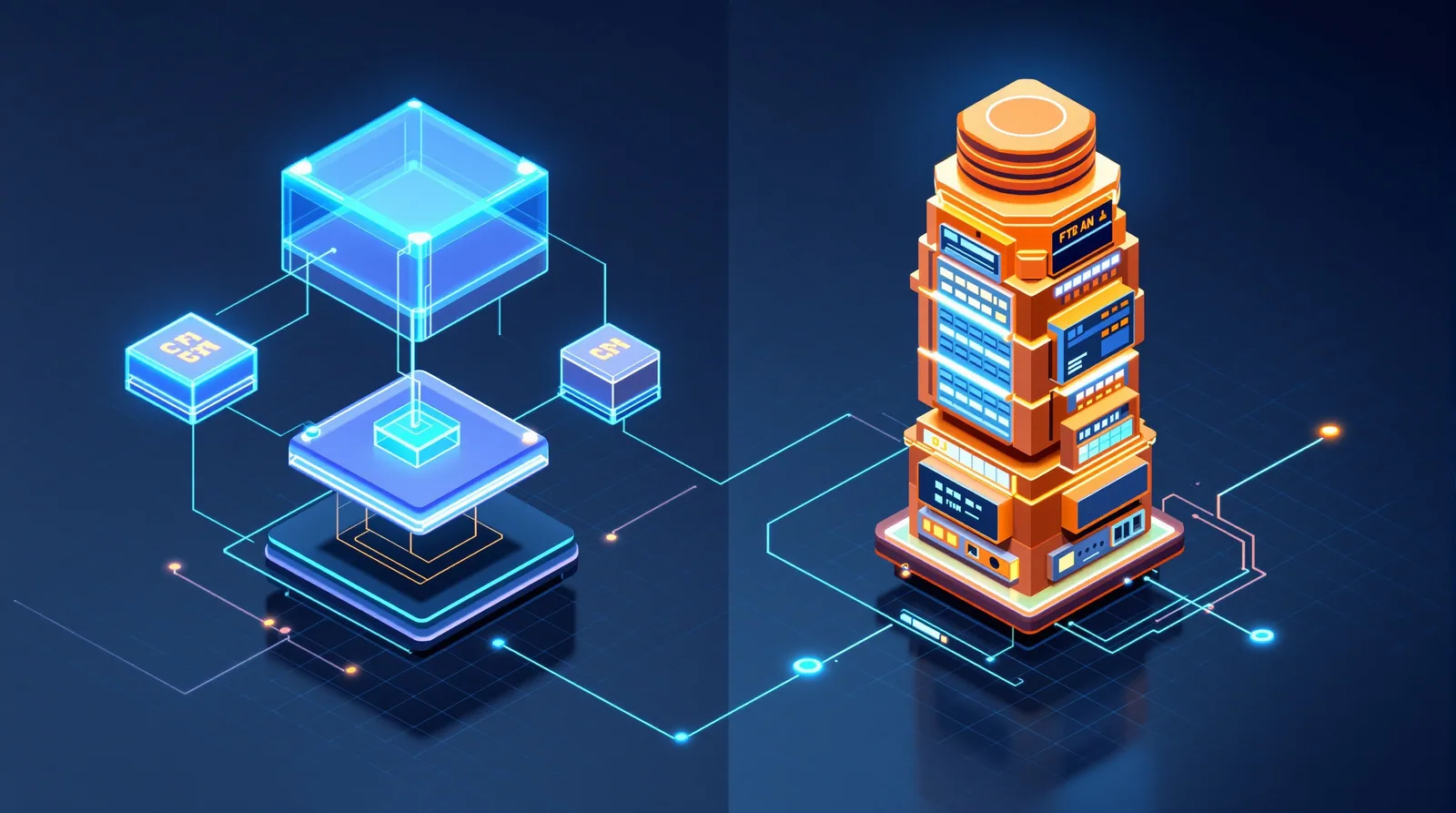
On the right, every layer of that stack is a place where a request-time exploit can land. On the left, the request-time path is a single edge cache hit on a pre-rendered file. That structural difference is the entire post.
What attacks does the headless model structurally rule out?
SQL injection at request time is gone. There is no database query happening when a visitor loads a page. The data was already fetched and rendered into HTML at build time.
Plugin and theme remote code execution at request time is gone. There is no PHP execution surface to exploit on the public-facing site. Build-time dependencies are a separate question I will address below.
Brute-force credential attacks on the public site are gone. There is no admin panel exposed at a public URL. The CMS authentication endpoint is on a separate origin and typically uses OAuth or magic-link auth, not the username and password form that gets brute-forced thirty thousand times per day on a typical WordPress install.
File upload exploits are gone. The public site has no upload endpoint. Media is uploaded through the CMS UI to the CMS storage layer, which validates and processes assets in a sandboxed pipeline before they ever reach a CDN.
Cross-site scripting through user-submitted content is dramatically reduced. There are no comment forms, contact forms, or user submissions writing to a runtime database that another visitor sees on the next page load. Forms on a headless site post to a separate API (a Netlify function, a Supabase edge function, or a third-party service like Formspree) which has its own authentication and validation layer.
Server-side request forgery, local file inclusion, and most of the OWASP Top 10 entries that depend on a server-side runtime are simply not applicable to a static-rendered site. The attack patterns require a server that executes code in response to user input. There is no such server.
What about supply chain attacks on npm packages?
This is the honest counter-argument and it deserves real attention. A Next.js or Astro project ships with hundreds of npm dependencies. If a popular package is compromised (the event-stream incident in 2018, the ua-parser-js compromise in 2021, the Polyfill.io supply-chain attack in 2024), malicious code can land in your build output and be served to visitors.
Three things make this a meaningfully smaller risk than the WordPress equivalent in practice. First, the malicious code only runs the next time you build and deploy. A WordPress plugin compromise can ship malicious behaviour to live visitors within minutes of a plugin auto-update. Second, npm package compromises tend to be detected in hours by automated scanners, dependabot, and the security research community, because so much production tooling depends on the same packages. Third, security-conscious headless setups pin dependency versions and use lockfiles, so you do not pick up a malicious release until you explicitly choose to update.
What I would still recommend for headless: pin dependencies, run npm audit on every build, subscribe to GitHub security advisories for your major packages, and treat any unscheduled deploy as a security review trigger.
How does the typical WordPress hack actually happen?
Looking at incidents we responded to at Seahawk over the last twenty-four months, here is the rough distribution. Roughly forty percent traced to an outdated plugin with a known and patched CVE. Roughly twenty-five percent traced to a compromised admin account, almost always weak passwords with no 2FA. Roughly fifteen percent traced to outdated WordPress core or PHP versions. Roughly ten percent traced to a vulnerability in a custom theme. The remaining ten percent is everything else: hosting account compromise, DNS hijacking, malicious developer access, supply chain on a plugin maintainer.
Notice how many of those root causes simply do not exist on a headless site. There is no plugin to patch. There is no admin account on the public site. The PHP version is irrelevant because there is no PHP. The custom theme runs in the build pipeline, not on the live server.
Does this mean headless is uncrackable?
No. The remaining attack vectors are real and worth naming. Phishing the CMS credentials of a content editor still works. The CMS itself can have vulnerabilities (Sanity, Contentful, Strapi, and Payload have all had CVEs). Hosting account compromise on Vercel or Netlify gives an attacker the keys. DNS hijacking redirects traffic regardless of how the site is built. A malicious commit to your git repo will rebuild and deploy whatever the attacker wants.
What changes is the cost-of-attack curve. The opportunistic, automated, scan-the-internet attacks that hit every WordPress install daily are simply not aimed at headless sites because there is no fingerprint to scan for and no playbook that works. The attacks that succeed against headless sites are targeted, deliberate, and require either credential theft or supply chain access. Those are real threats. They are also threats that a well-run WordPress install faces in addition to the opportunistic ones, not instead of them.
Why is WordPress still secure enough for most businesses?
Because the operational discipline to keep it secure is well-understood and widely practised. Use a managed host that handles core updates, server hardening, and database isolation. Put Cloudflare or a comparable WAF in front of the origin. Enable 2FA for every admin login. Limit admin accounts to as few people as possible and audit them quarterly. Run a tight plugin diet, ten or fewer well-maintained plugins from reputable authors. Update everything weekly. Take backups daily and test the restore at least once a quarter. Use a malware scanner that runs daily.
That regimen, applied consistently, makes WordPress as safe as the average headless site for the average business. The catch is the consistency. The WordPress sites that get hacked are not the ones with this regimen. They are the ones where the agency disengaged two years ago, the plugin updates stopped, the admin account password was set in 2019, and nobody has logged into the host control panel in months. Headless sites are forgiving of that kind of neglect. WordPress sites are not.
What does the security delta mean for agency clients in 2026?
My working framing for client conversations: WordPress is the right answer when content velocity, plugin ecosystem use, or non-technical editor experience are the primary requirements, and the client is willing to fund ongoing security maintenance. Headless is the right answer when the client wants a fire-and-forget security posture, the team has technical maturity to run a build pipeline, and the content model is well-defined enough that a structured CMS makes sense.
In practice that means: marketing sites, brochure sites, documentation sites, and high-value property pages where downtime is expensive tend to do better as headless. Sites with heavy plugin ecosystem dependence (membership, e-commerce with niche regional tax requirements, complex LMS, BuddyPress-style community) tend to do better as WordPress because the plugin use outweighs the security overhead.
The decision is rarely about which architecture is more secure in absolute terms. It is about which architecture matches the security maintenance the client is realistically going to fund.
What I would build if security was the only criterion?
A static-rendered Astro or Next.js site, built in CI on every content change, deployed to Vercel or Netlify with deploy-only API tokens, content sourced from Supabase or Sanity behind RLS or document-level permissions, forms posted to a separate edge function with rate limiting, all secrets in the hosting provider environment (never committed), domain DNS at Cloudflare with DNSSEC enabled, two-factor required on every account in the chain (CMS, hosting, DNS, git, package registry), and dependabot configured to flag every dependency change. That setup is genuinely close to uncrackable by anything short of a targeted nation-state operation, which is not the threat model for the average marketing site.
Bottom line
WordPress is manageable. Headless is forgivable. The honest difference is that you can ignore a headless site for six months and find it still secure when you come back. You cannot do that with WordPress. For a business deciding between architectures in 2026, the security argument is less about "which is more secure" and more about "which security posture matches my actual operational discipline". If the answer is "we will not be paying close attention to this site", headless is the safer bet by a real margin.
We still ship more WordPress than anything else, because most clients still need what WordPress uniquely offers. But for any client where the conversation starts with "we just want it to keep working without us thinking about it", I am increasingly recommending headless first and explaining why.
Related reading
Headless WordPress in 2026: the complete practical guide
WordPress vs Next.js in 2026: my honest comparison
WordPress Maintenance Is Mostly About Care
Frequently asked questions
Is headless WordPress more secure than regular WordPress?
It can be. With headless, the public site is a static or server-rendered front end, so the WordPress admin and database are not exposed to visitors, which shrinks the attack surface. But the WordPress back end still needs hardening, and you now have two systems to secure rather than one.
What are the main WordPress security risks?
Outdated core, themes, and plugins are the biggest by far, followed by weak admin credentials and unvetted plugins. Most WordPress compromises are not clever hacks; they exploit a known vulnerability in a stale plugin. Update discipline and a minimal plugin set remove most of the risk.
Does going headless remove the need to update WordPress?
No. The WordPress back end still runs core and plugins that need patching, even if the public never touches it directly. Headless reduces the public attack surface but does not remove maintenance. An unpatched headless back end is still a breach waiting to happen.
How do I secure a headless WordPress site?
Harden the WordPress back end as usual: updates, strong credentials, a minimal plugin set, and a locked-down or IP-restricted admin. Secure the API layer between back end and front end, and keep the front-end host and build pipeline patched. Two systems means two security checklists.