
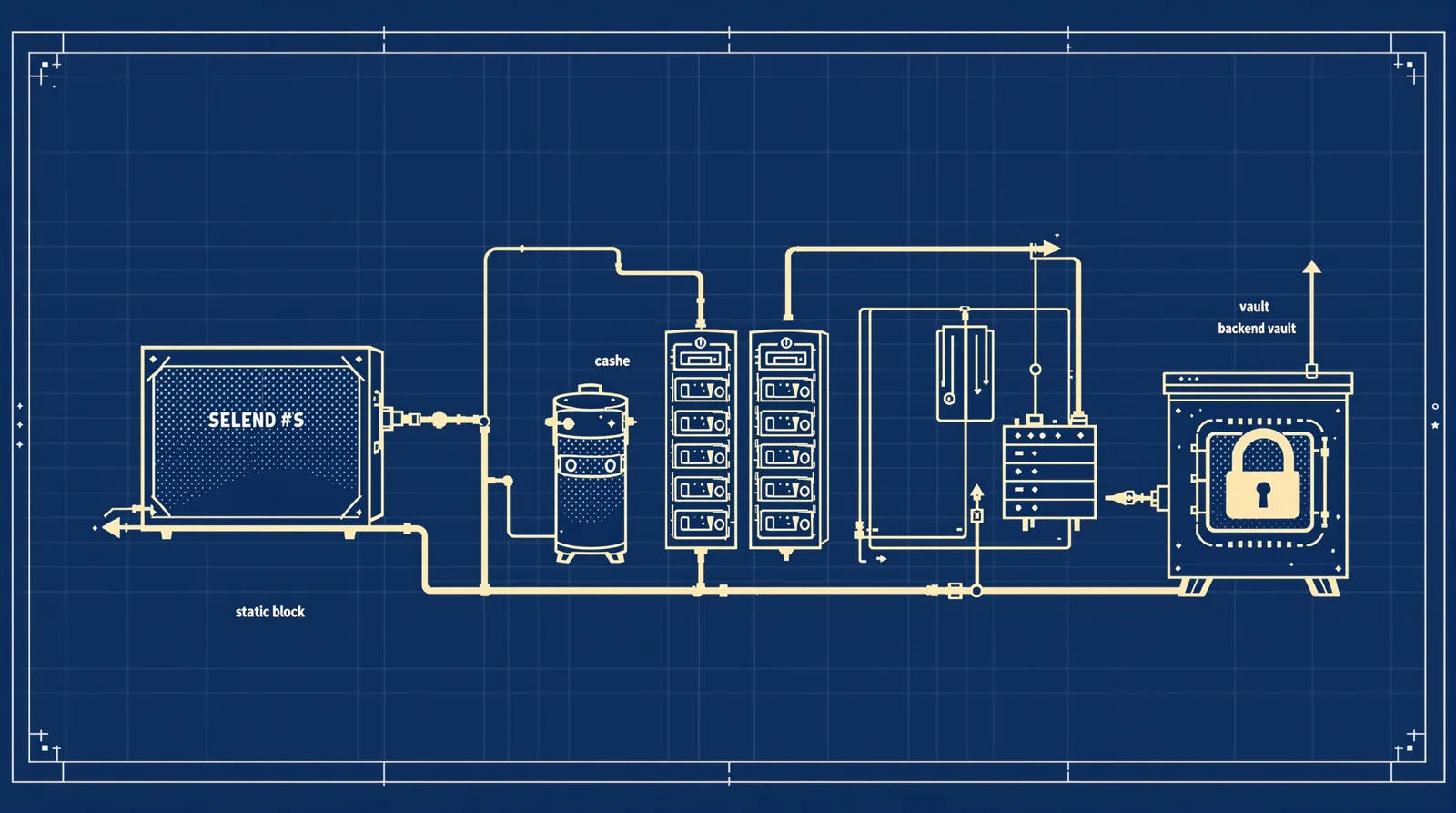
Going headless did not remove the attack surface. It moved it. The 2025-26 record shows where: React Server Components (CVE-2025-55182, unauthenticated remote code execution, published 3 December 2025), Astro's server islands and image endpoint, Nuxt payload caching behind a CDN, npm packages, and a WordPress backend that still runs PHP. A fully static export with no server runtime does remove most framework-level risk. Plenty of "static" sites aren't, though. Below you get the incidents framework by framework, then secrets, CSP, the supply chain, the WordPress origin and edge controls, finishing with a hardening table you can adapt to your own stack.
Why "static means unhackable" stopped being true
Say it plainly first: if your build outputs plain HTML, CSS and JS files, and a CDN serves them, there is no framework server to attack. No React Server Components endpoint. No server action. No middleware to bypass. That is a genuinely small attack surface, and it is why the old Jamstack pitch had weight.
But look at what most Next.js, Astro and Nuxt projects actually deploy in 2026. A server action for the contact form. Middleware that checks a cookie. An image optimisation endpoint. Server islands for a personalised header. ISR or on-demand revalidation. Each of those means a process is listening for requests, parsing input, and holding environment variables. That is a server. It just doesn't look like one in your repo.
So the question isn't "is this site headless?" It's "what runs at request time?" Three honest answers exist:
- Nothing. Pure static output. Your risk sits in the build pipeline and the CMS, not the framework.
- A small, known set of endpoints. Image optimisation, a form handler. Patch them, restrict them, rate-limit them.
- A full application runtime. SSR, server actions, auth, database access. Treat it like any web app, because it is one.
I've made the architectural comparison with WordPress elsewhere (see headless vs WordPress security), so I won't repeat it. This post is the incident record and what to do about it.
Next.js: React2Shell, server actions and the proxy trap
React2Shell
CVE-2025-55182 (React) and CVE-2025-66478 (Next.js) were published on 3 December 2025. Critical. Unauthenticated remote code execution through crafted requests to React Server Components. Per Vercel's changelog, affected Next.js versions are >=14.3.0-canary.77, 15.x and 16.x using the App Router. The patched Next.js releases are 15.0.5, 15.1.9, 15.2.6, 15.3.6, 15.4.8, 15.5.7 and 16.0.7, with React fixed in 19.0.1, 19.1.2 and 19.2.1.
Speed matters here. Datadog Security Labs reported public exploit code and active exploitation attempts by 5 December 2025. Two days. If your patch process runs on a monthly rhythm, that gap is the exposure.
Vercel ships npx fix-react2shell-next to bump affected versions. Whatever route you take, confirm the current fixed version for your release line in the linked advisory, because the follow-ups changed the targets.
The 11 December follow-ups
On 11 December 2025 the Next.js team published another security update covering two more issues:
- CVE-2025-55184, denial of service (high). An App Router request can hang the server. The first fix was incomplete; the complete fix is tracked as CVE-2025-67779.
- CVE-2025-55183, source code exposure (medium). A crafted request can make a Server Function return the compiled source of other Server Functions. Anything hard-coded in them leaks. Secrets read from the environment at runtime don't.
The Pages Router was not affected, and there is no workaround. Upgrade. Fixed releases include 14.2.35, 15.5.9 and 16.0.10 (check the advisory for your line).
The server-actions lesson is blunt: a server action is a public HTTP endpoint with a nicer calling convention. Treat its arguments as hostile input. Authorise inside it. And never write a secret as a string literal in a file that a server function can reach.
Middleware is not an authorization boundary
CVE-2025-29927, disclosed 21 March 2025 (CVSS 9.1), let a crafted x-middleware-subrequest header skip middleware entirely. If your only auth check lived in middleware, it was bypassed. Datadog's write-up lists fixes in 12.3.5, 13.5.9, 14.2.25 and 15.2.3. Vercel-hosted apps were protected at the infrastructure level. Self-hosted apps were exposed until patched.
Next.js 16 renames middleware.ts to proxy.ts and runs it on the Node.js runtime by default; middleware.ts is deprecated. The rename is honest, I think. A proxy sits in front of the app. It can redirect, rewrite, add headers. It should not be the only thing standing between a stranger and your data.
Where to put the real check:
- In the data layer, next to the query that returns the rows.
- In every server action that mutates something.
- In route handlers, per route.
- In proxy only as a convenience redirect for logged-out users, never as the lock.
If removing proxy.ts would expose data, your authorisation is in the wrong place.
Astro: server islands, image endpoints and middleware paths
Astro's default is static, which is a strength. But three 2025 advisories hit the pieces that add a runtime.
Server islands XSS. CVE-2025-64764, published 19 November 2025, high (CVSS 7.1). A reflected XSS through the slots parameter of the server islands endpoint. It affected any app using server islands, even when the island component uses no slots. Versions 5.15.6 and earlier were affected; 5.15.8 patched it. Details are in the GitHub advisory.
Image endpoint SSRF. CVE-2025-58179 affected the @astrojs/cloudflare adapter (11.0.3 through 12.6.5). With output 'server' and the default compile image service, the image endpoint did not validate URLs, which enabled server-side request forgery. SSRF is nasty because the server makes the request from inside your network, where it may reach metadata services or internal APIs.
Middleware path bypass. Astro 5.15.8 also fixed a path-normalisation bypass using double-encoded URLs (CVE-2025-64765). Same family of mistake as the Next.js header trick: authorisation that depends on the URL looking a certain way.
Check exact version ranges in the withastro/astro security advisories before you decide whether you're affected. I'm not going to guess at boundaries I can't point to.
Astro 6 and built-in CSP
Astro 6 ships a CSP API under security.csp . According to the Astro 6 beta announcement, it hashes bundled scripts and styles (SHA-256 by default), and it works in build and preview but not in dev. That last point catches people out: a page that looks fine under astro dev can break when the policy applies in a production build. Always test the built output.
If you're building Astro sites for clients and want that hardening baked in from the start, our Astro development page covers how we set projects up.
Nuxt: payload cache poisoning and what `runtimeConfig.public` exposes
CVE-2025-27415
Published 19 March 2025. High, CVSS 7.5, and the impact is availability. The condition: you run Nuxt behind a CDN that ignores the query string in its cache key. An attacker requests something like /?/_payload.json . Nuxt renders JSON for that request. The CDN caches it under the key for / and serves that JSON to every visitor. Repeatable at each cache expiry. Affected: 3.0.0 to before 3.16.0; patched in 3.16.0 (advisory).
Notice what kind of bug this is. Nuxt's code and the CDN's config each behaved sensibly alone. Together, they broke your homepage. So the lesson goes beyond "upgrade Nuxt": CDN cache-key configuration is part of application security. Someone on your team should own it, and it should be written down, not left as a dashboard default.
A quick staging check, using your own staging domain only: request the page with an odd query string, see what comes back, then request the clean URL and confirm it is still HTML. If your cache layer allows ignoring query strings for performance, make sure the framework's internal routes are excluded from that rule.
What `runtimeConfig.public` exposes
Nuxt splits runtimeConfig into private keys (server only) and runtimeConfig.public (sent to the browser). The name is the warning. Anything under public is in the page payload for anyone to read. Put a Stripe publishable key there, fine. Put a CMS admin token there and you've published it.
Secrets and env vars across all three
Every framework has a prefix rule, and the prefix means "ship to the browser":
| Framework | Public by design | Server-only by default |
|---|---|---|
| Next.js | NEXT_PUBLIC_* (inlined at build time) | Everything else in process.env |
| Astro / Vite | PUBLIC_* | Other env vars, read server-side |
| Nuxt | runtimeConfig.public | Top-level runtimeConfig keys |
Read each framework's docs on this, because details differ (Next.js inlines NEXT_PUBLIC_ values into the bundle at build time, which also means changing one needs a rebuild). The principle doesn't differ. If a variable has a public prefix, treat it as printed on the homepage.
Three habits catch most mistakes:
- Never put a write-capable token behind a public prefix, even "temporarily".
- Search your built output (
.next/static,dist/,.output/public) for token fragments before you deploy. - Give your front end a read-only, narrowly scoped credential for the CMS, separate from anything an editor uses.
The CVE-2025-55183 lesson
That Next.js source-exposure bug is a neat illustration. It could return compiled source of Server Functions. Secrets read from the environment at runtime weren't in that source. Secrets pasted into the code as literals were. The framework bug was the framework's fault; the leaked API key was ours. After patching, if a literal secret ever lived in a server function on an affected version, assume it was readable and rotate it. Moving it to an env var is the fix for next time, not for the past.
Security headers and CSP for Jamstack sites
Static hosting makes headers easy to forget because there's no server config file in the repo. But headers are where you get cheap, real protection against XSS fallout (like the Astro server islands issue above).
Baseline set to ship on every site: Content-Security-Policy , Strict-Transport-Security , X-Content-Type-Options: nosniff , a Referrer-Policy , and frame-ancestors (inside CSP) or X-Frame-Options.
Nonce or hash, not `unsafe-inline`
A CSP that allows 'unsafe-inline' for scripts barely helps against XSS. You have two real options:
- Hashes. Build-time SHA-256 hashes of each inline script and style. Works well for static output because content doesn't change per request. This is what Astro 6's
security.cspautomates. - Nonces. A random value generated per request, added to the header and to each script tag. Needs a server or edge function to generate it, so it fits SSR better than static files. Next.js documents a nonce pattern using its proxy layer.
Pick by rendering model. Pure static: hashes. Dynamic: nonces.
List every third-party origin, per directive
This is the tedious bit and it's where policies fail. Analytics, tag managers, fonts, video embeds, chat widgets, form providers, your CMS image host. Each needs listing under the correct directive: script-src , connect-src , img-src , font-src , frame-src. A widget that loads a script from one origin and calls an API on another needs both.
An example header, to show the shape only (swap in your real origins, and the nonce must be generated per request):
Content-Security-Policy: default-src 'self'; script-src 'self' 'nonce-RANDOM' https://analytics.example.com; connect-src 'self' https://api.example.com; img-src 'self' data: https://cms.example.com; frame-ancestors 'none'; base-uri 'self'
Start with Content-Security-Policy-Report-Only , collect violations for a week or two, fix the list, then enforce. And keep a short inventory file of third-party origins and who requested each one. Six months later, nobody remembers why a chat widget is in script-src.
The npm supply chain: chalk, debug and Shai-Hulud
Your framework may be patched and your server locked down, and a dependency can still ruin your week. Two 2025 events show how.
chalk and debug, 8 September 2025. A maintainer was phished with a fake 2FA-reset email from npmjs.help. Attackers published malicious releases of about 18 packages, including chalk and debug. The payload aimed to steal crypto-wallet activity from browser bundles. Packages were removed within roughly 2 to 2.5 hours, per Upwind's analysis. Two hours is short. But a CI job that resolved fresh versions in that window shipped the payload to production.
Shai-Hulud, September 2025. CISA's alert of 23 September 2025 describes a self-replicating worm that compromised over 500 npm packages. It harvested GitHub tokens and cloud keys (AWS, GCP, Azure), published them to public GitHub repos named Shai-Hulud, and republished itself into other packages using the victims' own npm credentials. A second wave in November 2025 reportedly hit roughly 796 packages (secondary reporting, so treat the figure as reported).
Controls that would have contained them
Neither incident needed a clever exploit. Both relied on automatic trust in "latest". So:
- Commit your lockfile and install with `npm ci `. It installs exactly what the lockfile says and fails if
package.jsondisagrees. No silent drift to a poisoned release. - Add a cooldown. Don't adopt versions the hour they're published. pnpm documents a minimum release age setting for this. A delay of even a day would have sat out the chalk/debug window entirely.
- Disable install scripts where you can. Worms like Shai-Hulud run through lifecycle scripts. An example
.npmrcline:ignore-scripts=true. Then allow-list the few packages that truly need a build step. - Scope CI tokens. A build job rarely needs publish rights or broad cloud keys. Short-lived, least-privilege credentials mean a stolen token buys little.
- Follow CISA's advice. Review lockfiles including nested dependencies, check artifact caches, pin to known-safe versions, rotate developer credentials, require phishing-resistant MFA on npm and GitHub, and turn on secret scanning, Dependabot and branch protection.
The same suspicion applies to the AI tooling now sitting in dev environments. I wrote up how to vet Claude Code skills, plugins and MCP servers because they're another way third-party code gets near your tokens.
Headless WordPress: decoupling hides the theme, not the PHP
Here's the part that surprises teams. Going headless removes the public theme layer. It does not remove WordPress. The PHP application, the database, the REST API and wp-admin are all still there, usually on a public hostname, because the front end needs to reach them.
wp2shell
The 2026 example is blunt. CVE-2026-63030 (REST API batch-route confusion, CVSS 9.8) chained with CVE-2026-60137 (SQL injection in WP_Query author__not_in , CVSS 5.9) gives unauthenticated remote code execution on WordPress 6.9.0 through 7.0.1. Default installs. No plugins needed. The entry point is /wp-json/batch/v1. Fixes landed on 17 July 2026 in 7.0.2, 6.9.5 and 6.8.6, as Tenable's FAQ lays out.
Attackers were quick. Patchstack saw the first exploitation attempts about 90 minutes after the 7.0.2 release, blocked more than 65,000 attempts from more than 1,500 IPs, and found 97% targeted the batch endpoint. One more detail matters for anyone relying on a firewall: URL-only WAF rules aren't enough, because WordPress accepts rest_route in the POST body. A rule that matches /wp-json/batch/v1 in the path misses it.
Locking the backend down
The goal: make the WordPress origin something strangers can't reach, rather than something that merely hopes to be patched in time.
- Keep the origin off the public internet where possible. IP allowlist, an authenticating proxy, or a private network between front end and CMS. If you pull content at build time for a static site, the origin only needs to talk to your build runner.
- Expose only the fields the front end uses. Trim REST responses and GraphQL schemas. Less data out, less to abuse.
- Disable unused routes, the batch endpoint included, if nothing in your stack calls it.
- Restrict WPGraphQL. Turn off public introspection and unauthenticated queries unless you truly need them.
- Scope application passwords and preview tokens. One per integration, least privilege, revoked when the integration ends.
- Keep core auto-updates on. With a 90-minute exploitation window, a manual weekly patch day is the wrong cadence.
If you'd rather hand this part to specialists, our WordPress security service covers locking down and monitoring the backend. For the architecture around it, see the headless WordPress 2026 guide and our headless WordPress development page.
Hosting and edge controls
Platforms differ in what they protect, and it's worth knowing the specifics rather than assuming. Take CVE-2025-29927: Vercel-hosted apps were protected at the infrastructure level while self-hosted ones weren't. That's a real, documented benefit of a managed platform. Netlify and Cloudflare likewise run protective layers at their edge (WAF features, DDoS mitigation, managed rules, depending on plan). Self-hosting gives you control and puts those layers on your to-do list.
The honest framing: edge protections buy you time. They don't replace patching. A platform rule that blocks one exploit pattern today says nothing about the next advisory, and a self-hosted setup with a well-run patch pipeline can be perfectly sound.
What to configure, wherever you host:
- WAF rules that inspect bodies, not just paths. The wp2shell
rest_routedetail is the example to remember. - Rate limits on form handlers, server actions, login routes and any endpoint that triggers expensive work. This also blunts denial-of-service bugs like CVE-2025-55184.
- Image `remotePatterns `. In Next.js,
images.remotePatternsrestricts which remote hosts the image optimiser will fetch. Astro has equivalent image domain and pattern settings. Allow your CMS host and nothing else. An open image proxy is an SSRF invitation. - Cache-key review. Per the Nuxt incident, know what your CDN ignores.
- Origin protection. Make the app origin accept traffic only from your CDN or platform where the setup allows it, so attackers can't skip the edge.
If you're building on Next.js with a database behind it, the Next.js and Supabase development page shows how we scope server-side access.
The hardening checklist
Adapt this to your stack. Every incident named below comes from the sources cited earlier; confirm current fixed versions in each linked advisory rather than trusting any table (including this one) for version numbers.
| Layer | Risk | Real 2025-26 example | Control | How to check |
|---|---|---|---|---|
| Next.js | RSC remote code execution; DoS; source exposure; middleware-only auth | CVE-2025-55182 / CVE-2025-66478 (3 Dec 2025); CVE-2025-55184, CVE-2025-55183 (11 Dec 2025); CVE-2025-29927 (21 Mar 2025) | Upgrade to a patched release for your line; authorise in data layer, actions and route handlers; no hard-coded secrets in server functions; restrict images.remotePatterns | npm ls next react against the advisory; search code for secret literals; test that protected data stays protected with proxy.ts disabled |
| Astro | Server islands XSS; image endpoint SSRF; middleware path bypass | CVE-2025-64764 (19 Nov 2025); CVE-2025-58179; CVE-2025-64765 | Upgrade Astro and @astrojs/cloudflare ; enable security.csp on Astro 6; allow-list image sources; don't rely on URL matching for auth | npm ls astro @astrojs/cloudflare against the advisories; inspect response headers on a build or preview, not dev |
| Nuxt | CDN payload cache poisoning; secrets in public config | CVE-2025-27415 (19 Mar 2025) | Run 3.16.0 or later; include the query string in the cache key or exclude internal routes from caching; only non-secret values in runtimeConfig.public | On staging, request /?/_payload.json then the clean URL and confirm HTML; grep the built output for token fragments |
| Headless WordPress backend | Unauthenticated RCE via REST batch route; public admin and API surface | wp2shell: CVE-2026-63030 + CVE-2026-60137 (fixed 17 Jul 2026) | Patched core with auto-updates on; origin behind allowlist or proxy; unused routes disabled; WPGraphQL introspection restricted; scoped app passwords | Check core version in the dashboard; request /wp-json/batch/v1 from outside your allowlist; confirm WAF inspects POST bodies |
| Build pipeline | Poisoned dependency; stolen CI and developer tokens | chalk/debug (8 Sep 2025); Shai-Hulud (CISA, 23 Sep 2025) | Committed lockfile and npm ci; install scripts off; release-age cooldown; scoped, short-lived CI tokens; phishing-resistant MFA; secret scanning | Review lockfile diffs in pull requests; audit CI token scopes; confirm Dependabot, secret scanning and branch protection are enabled |
FAQ
Is the Pages Router affected by the December 2025 Next.js issues?
For CVE-2025-55183 (source code exposure) and CVE-2025-55184 (denial of service), the Next.js advisory describes the affected path as the App Router with Server Functions, and says the Pages Router is not affected by the source exposure. Don't read that as "safe forever". React2Shell targeted React Server Components in the App Router too, and you still need to be on a patched release. Check the December 2025 advisory for your exact version line.
Should I rotate secrets after patching?
If a secret was ever hard-coded in a server function on an affected Next.js version, yes. Assume it could have been read, because the bug returned compiled source. Rotate it, then move the replacement to a runtime env var. Secrets that were only ever read from the environment weren't in that source, so the exposure argument is much weaker for them.
How do I keep up with advisories without reading every changelog?
Watch the GitHub security advisories for the repos you depend on (Next.js, withastro/astro, Nuxt), and turn on Dependabot alerts for your own repositories. Subscribe whoever owns patching to those feeds, not a shared inbox that nobody reads. For WordPress core, keep auto-updates on and add a vulnerability feed such as Patchstack's.
Can I leave wp-admin public if the front end only pulls content at build time?
You can, but you shouldn't. If the front end only needs the origin during builds, there's no reason to expose it to everyone. Allowlist your build runner and your editors' IPs, or put an authenticating proxy in front. Editors on changing IPs are the usual complaint, and a proxy with single sign-on solves it.
Patch speed and cache-key config are the two things teams most often get wrong: Next.js and WordPress exploits arrived within days or hours of disclosure, and the Nuxt bug only existed because a CDN ignored the query string. Check what actually runs at request time, authorise in the data layer rather than the proxy, and keep the WordPress origin off the open internet.